
Modern Cozy Living Room Midjourney Prompt
Full Prompt
An open-plan, modern living room designed to convey warmth and comfort. Bright natural daylight flows in on a fresh spring day, illuminating oak wood details, matte black accents, and elegant dark natural stone elements. A cozy seating area with soft cushions, warm textiles, and a soft rug invites relaxation. Thoughtful décor, indirect lighting, and green indoor plants enhance the homely, welcoming atmosphere. Clean yet warm design, blending modern aesthetics with a sense of calm and comfort. --ar 9:16 --style raw --v 7 --profile oobj38tParameter Guide
This prompt uses 3 parameters to control the generation.
Aspect Ratio
9:16Vertical format - optimized for mobile screens, Instagram Stories, and TikTok
Mobile-first content
Model Version
v7V7 is the latest and most capable Midjourney model with superior prompt understanding and coherence.
Style Raw
enabledReduces artistic interpretation for more photorealistic, literal results
Best for product photography and precise control
To modify these parameters, copy the prompt above and adjust the values. For example, change --ar 16:9 to --ar 1:1 for a square image.
API Code Example
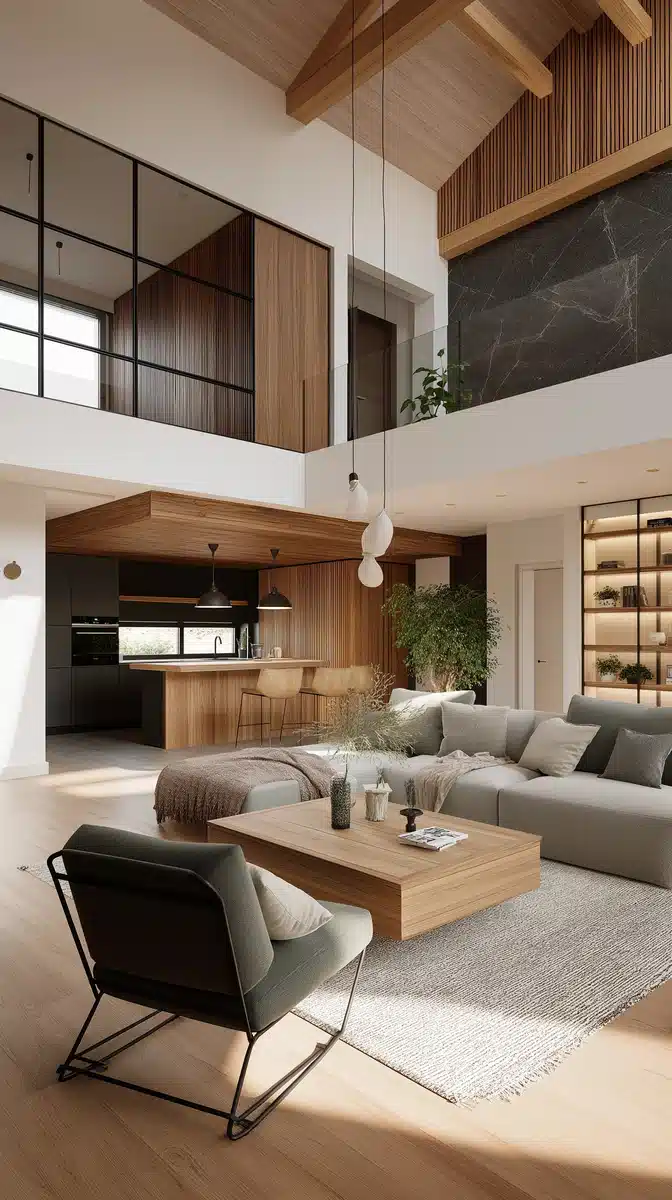
Generated Image Preview
curl --location 'https://api.legnext.ai/api/v1/diffusion' \
--header 'x-api-key: YOUR_API_KEY' \
--header 'Content-Type: application/json' \
--data '{
    "text": "An open-plan, modern living room designed to convey warmth and comfort. Bright natural daylight flows in on a fresh spring day, illuminating oak wood details, matte black accents, and elegant dark natural stone elements. A cozy seating area with soft cushions, warm textiles, and a soft rug invites relaxation. Thoughtful décor, indirect lighting, and green indoor plants enhance the homely, welcoming atmosphere. Clean yet warm design, blending modern aesthetics with a sense of calm and comfort. --ar 9:16 --style raw --v 7 --profile oobj38t"
}'
Note: Replace YOUR_API_KEY with your actual API key. Get your API key from your dashboard.
How to Use This Prompt
Overview
This prompt is designed to generate stunning AI images using midjourney. Whether you're a designer, artist, or developer, this prompt provides a solid foundation for creating professional-quality images with carefully crafted parameters for consistent results.
Step-by-Step Guide
- 1Copy the Prompt:Click the "Copy" button above to copy the complete prompt text to your clipboard.
- 2Open midjourney:Navigate to your midjourney interface (Discord bot or web interface).
- 3Paste and Generate:Paste the prompt into the message box and press Enter to start generating your image.
- 4Wait for Results:midjourney will process your prompt and generate multiple image variations, typically taking 1-2 minutes.
- 5Refine if Needed:Use the upscale or variation buttons to refine your favorite results.
Understanding the Parameters
Customization Tips
Best Practices
Using with Our API
For developers and businesses looking to integrate midjourney into their applications, our API provides a simple way to generate images programmatically. You can automate image generation, process multiple prompts in batch, and integrate AI image generation directly into your workflow. Check the API Code Example section above for implementation details.
The API handles all the complexity of managing midjourney connections, queuing, and result retrieval, allowing you to focus on building your application. With support for all midjourneyfeatures and parameters, you get the full power of midjourney through a simple REST API interface.
Troubleshooting
Frequently Asked Questions
Want to use this prompt in your app?
Generate images with Midjourney API - No Discord account required