Legnext - Midjourney API Platform

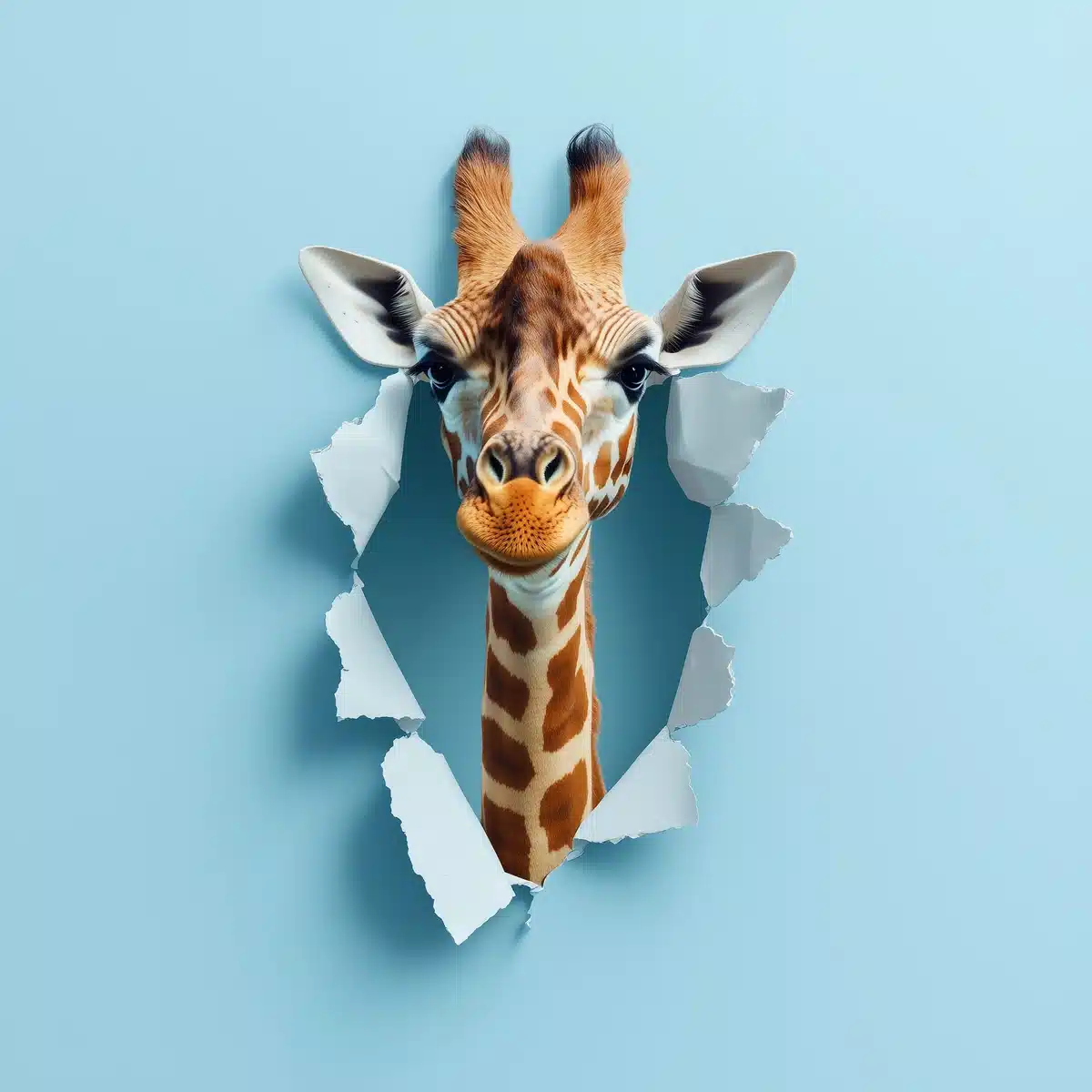
Giraffe Emerging From Paper Midjourney Prompt

共有:

完全なプロンプト

realistic depiction of a giraffe emerging from a ripped paper on a plain blue backdrop, symbolizing creativity and thinking outside the box

APIコード例

Generated image preview

生成された画像のプレビュー

curl --location 'https://api.legnext.ai/api/v1/diffusion' \
--header 'x-api-key: YOUR_API_KEY' \
--header 'Content-Type: application/json' \
--data '{
    "text": "realistic depiction of a giraffe emerging from a ripped paper on a plain blue backdrop, symbolizing creativity and thinking outside the box"
}'

注意: YOUR_API_KEY を実際のAPIキーに置き換えてください。APIキーは ダッシュボード から取得できます。

このプロンプトの使用方法

概要

このプロンプトは、midjourneyを使用して素晴らしいAI画像を生成するように設計されています。デザイナー、アーティスト、開発者のいずれであっても、このプロンプトは、一貫した結果を得るために慎重に作成されたパラメータを使用して、プロフェッショナル品質の画像を作成するための強固な基盤を提供します。

ステップバイステップガイド

  1. 1
    Copy the Prompt:Click the "Copy" button above to copy the complete prompt text to your clipboard.
  2. 2
    Open midjourney:Navigate to your midjourney interface (Discord bot or web interface).
  3. 3
    Paste and Generate:Paste the prompt into the message box and press Enter to start generating your image.
  4. 4
    Wait for Results:midjourney will process your prompt and generate multiple image variations, typically taking 1-2 minutes.
  5. 5
    Refine if Needed:Use the upscale or variation buttons to refine your favorite results.

カスタマイズのヒント

Change the Subject:Replace the main subject with your own concept while keeping the style descriptors.
Adjust Colors:Add or modify color descriptions to match your brand or creative vision.
Modify Style:Experiment with different artistic styles like "watercolor", "oil painting", or "digital art".
Fine-tune Parameters:Adjust the numerical parameters to find the perfect balance for your use case.
Add Context:Include additional details about lighting, mood, or setting to refine the output.

ベストプラクティス

Start with the Base Prompt:Always test the original prompt first before making modifications.
Make Incremental Changes:When customizing, change one element at a time to understand its impact.
Keep a Prompt Library:Save successful variations for future use and reference.
Experiment with Seeds:Use the --seed parameter to maintain consistency across multiple generations.
Use Remix Mode:Enable remix mode in midjourney to easily iterate on successful outputs.

Using with Our API

For developers and businesses looking to integrate midjourney into their applications, our API provides a simple way to generate images programmatically. You can automate image generation, process multiple prompts in batch, and integrate AI image generation directly into your workflow. Check the API Code Example section above for implementation details.

The API handles all the complexity of managing midjourney connections, queuing, and result retrieval, allowing you to focus on building your application. With support for all midjourneyfeatures and parameters, you get the full power of midjourney through a simple REST API interface.

トラブルシューティング

Results don't match expectations:Try adjusting the chaos and stylize parameters, or add more specific descriptive words to your prompt.
Image quality is low:Ensure you're using the latest model version (--v 6 or higher) and consider using upscale features for final outputs.
Prompt is rejected:Check that your prompt doesn't contain prohibited content. midjourney has content guidelines that all prompts must follow.
Generation is slow:During peak hours, midjourney may experience higher load. Consider using fast or turbo mode, or try during off-peak times.

よくある質問

このプロンプトを使用するには、完全なプロンプトテキストをコピーして midjourney に貼り付けるだけです。APIを使用してプログラムで画像を生成することもできます。プロンプトには、最適な結果を得るために必要なすべてのパラメータが含まれています。
もちろんです!クリエイティブなビジョンに合わせてプロンプトの任意の部分を自由にカスタマイズできます。主題、スタイル、色、またはその他の要素を変更できます。パラメータ(--ar、--chaos、--stylizeなど)も調整して、結果を微調整できます。
一般的なパラメータには、--ar(16:9などのアスペクト比)、--chaos(バリエーションレベル0-100)、--stylize(芸術的解釈0-1000)、--v(バージョン番号)、--style(レンダリングスタイル)が含まれます。これらは、生成された画像の最終出力を制御するのに役立ちます。
APIを使用して、このプロンプトで自動的に画像を生成できます。プロンプトテキストを含むPOSTリクエストをAPIエンドポイントに送信するだけです。複数のプログラミング言語での実装の詳細については、上記の「APIコード例」セクションを確認してください。
プロンプト自体は無料で使用できます。ただし、画像を生成するには、Midjourneyサブスクリプションまたは当社のAPIサービスが必要です。当社のAPIは、Discordボットを管理することなく、Midjourneyをアプリケーションに統合する便利な方法を提供します。
画像の使用権は、Midjourneyサブスクリプションプランによって異なります。一般的に、有料サブスクライバーは画像を商業的に使用できますが、無料ユーザーは限られた商業的権利を持っています。詳細については、Midjourneyの利用規約を確認してください。

このプロンプトをアプリで使用しますか?

Midjourney APIで画像を生成 - Discordアカウント不要