
Neon Strawberry Mosaic Photography Midjourney Prompt
Prompt Completo
A hot pink and red disco mirror-like strawberry with the texture of a glossy mosaic, set against a pink background in a neon style. The image is vibrant, colorful, and shiny, created through studio photography with a surrealist aesthetic. The high-resolution image was rendered using Octane, resulting in bright, vivid colors. The art direction was provided by David LaChapelle and Tim Walker, and the image was featured on the cover of a fashion magazine, such as Vogue. --ar 2:3 --v 7Parameter Guide
This prompt uses 2 parameters to control the generation.
Aspect Ratio
2:3Portrait format - classic for portraits and magazine covers
Professional photography standard
Model Version
v7V7 is the latest and most capable Midjourney model with superior prompt understanding and coherence.
To modify these parameters, copy the prompt above and adjust the values. For example, change --ar 16:9 to --ar 1:1 for a square image.
Ejemplo de Código API
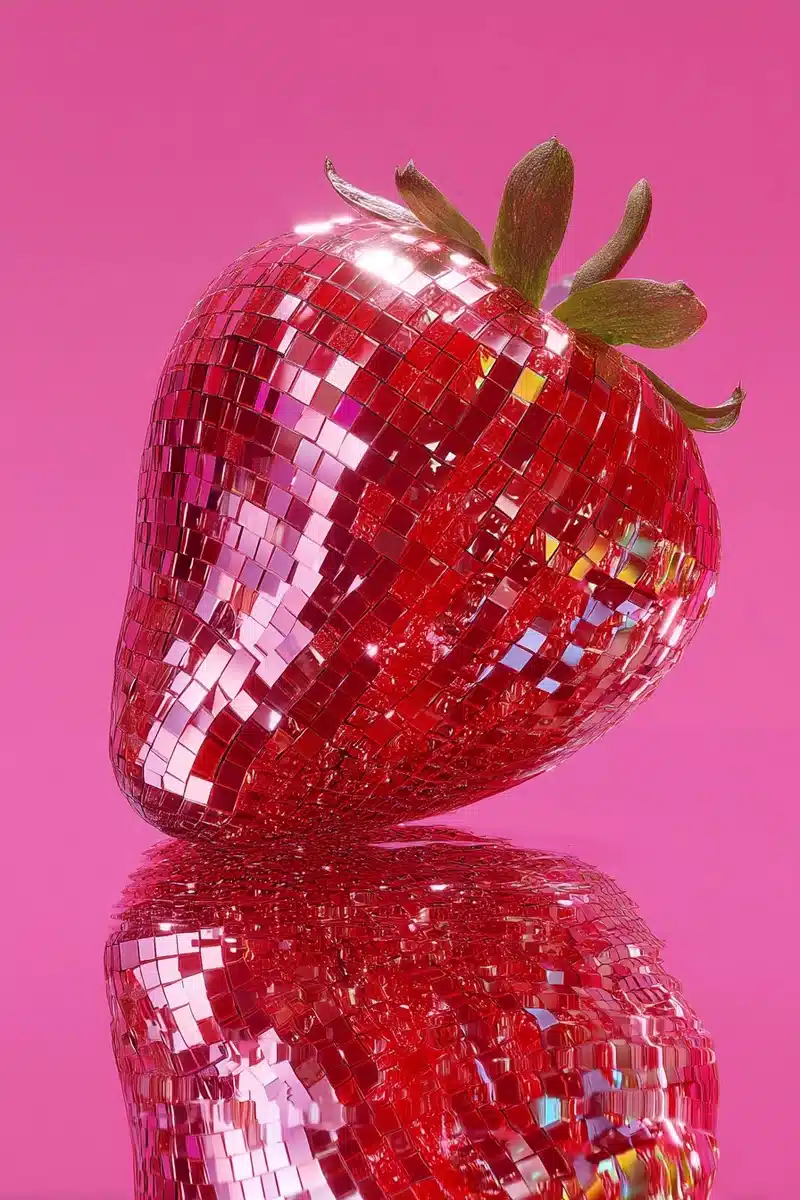
Vista Previa de Imagen Generada
curl --location 'https://api.legnext.ai/api/v1/diffusion' \
--header 'x-api-key: YOUR_API_KEY' \
--header 'Content-Type: application/json' \
--data '{
    "text": "A hot pink and red disco mirror-like strawberry with the texture of a glossy mosaic, set against a pink background in a neon style. The image is vibrant, colorful, and shiny, created through studio photography with a surrealist aesthetic. The high-resolution image was rendered using Octane, resulting in bright, vivid colors. The art direction was provided by David LaChapelle and Tim Walker, and the image was featured on the cover of a fashion magazine, such as Vogue. --ar 2:3 --v 7"
}'
Nota: Reemplace YOUR_API_KEY con su clave API real. Obtenga su clave API desde su panel de control.
Cómo Usar Este Prompt
Resumen
Este prompt está diseñado para generar imágenes de IA impresionantes usando midjourney. Ya sea que seas diseñador, artista o desarrollador, este prompt proporciona una base sólida para crear imágenes de calidad profesional con parámetros cuidadosamente elaborados para resultados consistentes.
Guía Paso a Paso
- 1Copy the Prompt:Click the "Copy" button above to copy the complete prompt text to your clipboard.
- 2Open midjourney:Navigate to your midjourney interface (Discord bot or web interface).
- 3Paste and Generate:Paste the prompt into the message box and press Enter to start generating your image.
- 4Wait for Results:midjourney will process your prompt and generate multiple image variations, typically taking 1-2 minutes.
- 5Refine if Needed:Use the upscale or variation buttons to refine your favorite results.
Understanding the Parameters
Consejos de Personalización
Mejores Prácticas
Using with Our API
For developers and businesses looking to integrate midjourney into their applications, our API provides a simple way to generate images programmatically. You can automate image generation, process multiple prompts in batch, and integrate AI image generation directly into your workflow. Check the API Code Example section above for implementation details.
The API handles all the complexity of managing midjourney connections, queuing, and result retrieval, allowing you to focus on building your application. With support for all midjourneyfeatures and parameters, you get the full power of midjourney through a simple REST API interface.
Solución de Problemas
Preguntas Frecuentes
¿Quieres usar este prompt en tu aplicación?
Genera imágenes con Midjourney API - No se requiere cuenta de Discord