Legnext - Midjourney API Platform

Burnt Siennapunk Marchioness Review Midjourney Prompt

Compartir:

Prompt Completo

Vintage-Lina Bo Bardipress review of the "Extraordinary sharppunk marchioness," calling it "a marvel of burnt siennapunk ingenuity and charm" --chaos 26 --ar 5:7 --stylize 67 --profile vv1qiw1
ar 5:7stylize 67chaos 26

Parameter Guide

This prompt uses 3 parameters to control the generation.

Aspect Ratio

5:7

Custom aspect ratio 5:7

Experiment to find what works best

Stylization

67

Moderate stylization - balanced artistic interpretation (recommended for most use cases)

Chaos

26

Moderate chaos - good variation while maintaining core concept

To modify these parameters, copy the prompt above and adjust the values. For example, change --ar 16:9 to --ar 1:1 for a square image.

Ejemplo de Código API
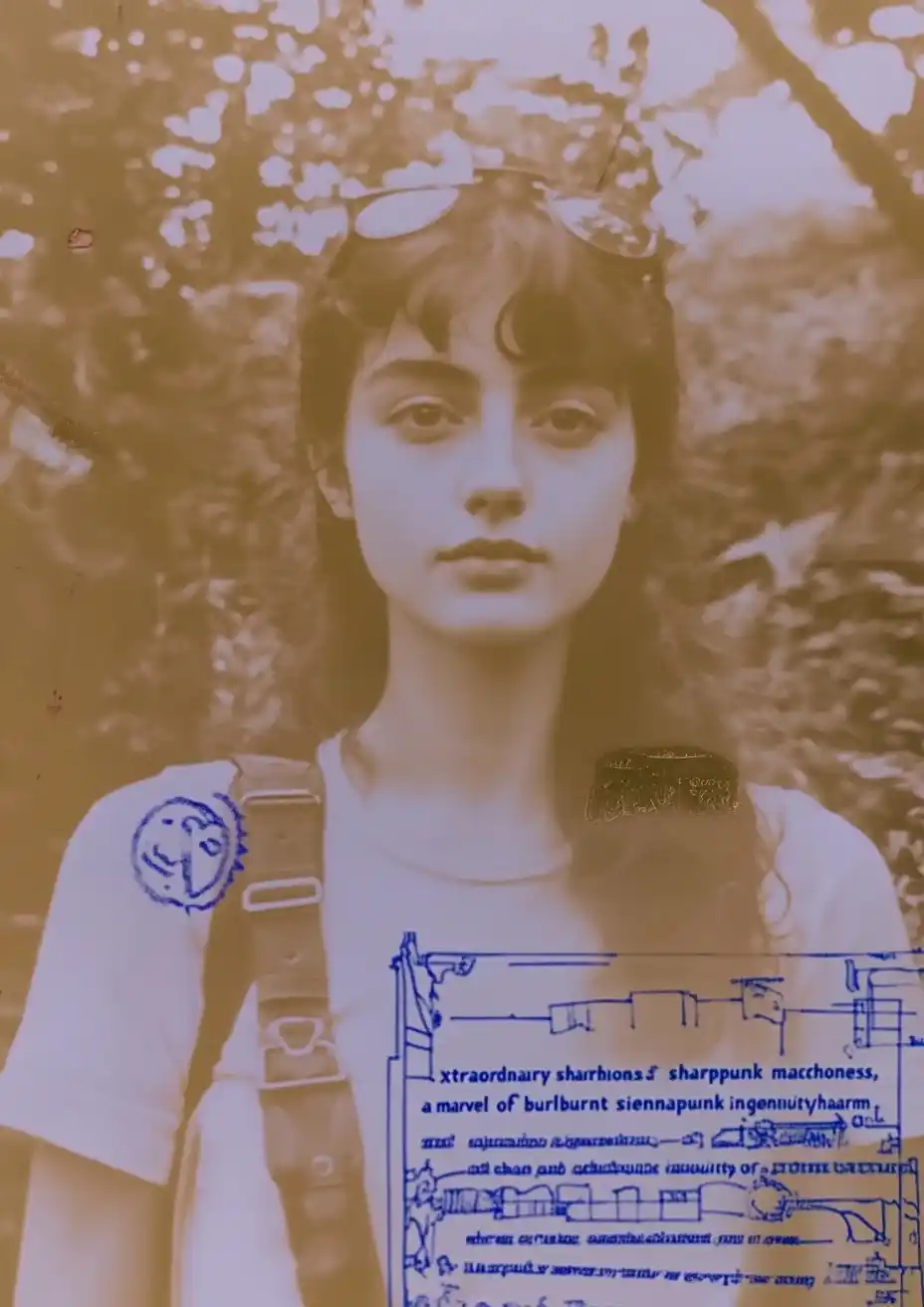
Generated image preview

Vista Previa de Imagen Generada

curl --location 'https://api.legnext.ai/api/v1/diffusion' \
--header 'x-api-key: YOUR_API_KEY' \
--header 'Content-Type: application/json' \
--data '{
    "text": "Vintage-Lina Bo Bardipress review of the \"Extraordinary sharppunk marchioness,\" calling it \"a marvel of burnt siennapunk ingenuity and charm\" --chaos 26 --ar 5:7 --stylize 67 --profile vv1qiw1"
}'

Nota: Reemplace YOUR_API_KEY con su clave API real. Obtenga su clave API desde su panel de control.

Cómo Usar Este Prompt

Resumen

Este prompt está diseñado para generar imágenes de IA impresionantes usando midjourney. Ya sea que seas diseñador, artista o desarrollador, este prompt proporciona una base sólida para crear imágenes de calidad profesional con parámetros cuidadosamente elaborados para resultados consistentes.

Guía Paso a Paso

  1. 1
    Copy the Prompt:Click the "Copy" button above to copy the complete prompt text to your clipboard.
  2. 2
    Open midjourney:Navigate to your midjourney interface (Discord bot or web interface).
  3. 3
    Paste and Generate:Paste the prompt into the message box and press Enter to start generating your image.
  4. 4
    Wait for Results:midjourney will process your prompt and generate multiple image variations, typically taking 1-2 minutes.
  5. 5
    Refine if Needed:Use the upscale or variation buttons to refine your favorite results.

Understanding the Parameters

Aspect Ratio (--ar):Controls the width-to-height ratio. Common ratios include 16:9 for widescreen, 1:1 for square, and 3:2 for standard photos.
Chaos (--chaos):Determines variation. Higher values (0-100) produce more diverse results, while lower values create more predictable outputs.
Stylize (--stylize):Controls how much midjourney's default artistic style is applied. Values range from 0-1000, with higher values creating more artistic interpretations.

Consejos de Personalización

Change the Subject:Replace the main subject with your own concept while keeping the style descriptors.
Adjust Colors:Add or modify color descriptions to match your brand or creative vision.
Modify Style:Experiment with different artistic styles like "watercolor", "oil painting", or "digital art".
Fine-tune Parameters:Adjust the numerical parameters to find the perfect balance for your use case.
Add Context:Include additional details about lighting, mood, or setting to refine the output.

Mejores Prácticas

Start with the Base Prompt:Always test the original prompt first before making modifications.
Make Incremental Changes:When customizing, change one element at a time to understand its impact.
Keep a Prompt Library:Save successful variations for future use and reference.
Experiment with Seeds:Use the --seed parameter to maintain consistency across multiple generations.
Use Remix Mode:Enable remix mode in midjourney to easily iterate on successful outputs.

Using with Our API

For developers and businesses looking to integrate midjourney into their applications, our API provides a simple way to generate images programmatically. You can automate image generation, process multiple prompts in batch, and integrate AI image generation directly into your workflow. Check the API Code Example section above for implementation details.

The API handles all the complexity of managing midjourney connections, queuing, and result retrieval, allowing you to focus on building your application. With support for all midjourneyfeatures and parameters, you get the full power of midjourney through a simple REST API interface.

Solución de Problemas

Results don't match expectations:Try adjusting the chaos and stylize parameters, or add more specific descriptive words to your prompt.
Image quality is low:Ensure you're using the latest model version (--v 6 or higher) and consider using upscale features for final outputs.
Prompt is rejected:Check that your prompt doesn't contain prohibited content. midjourney has content guidelines that all prompts must follow.
Generation is slow:During peak hours, midjourney may experience higher load. Consider using fast or turbo mode, or try during off-peak times.

Preguntas Frecuentes

Para usar este prompt, simplemente copia el texto completo del prompt y pégalo en midjourney. También puedes usar nuestra API para generar imágenes mediante programación. El prompt incluye todos los parámetros necesarios para obtener resultados óptimos.
¡Absolutamente! Siéntete libre de personalizar cualquier parte del prompt para que coincida con tu visión creativa. Puedes cambiar el sujeto, el estilo, los colores o cualquier otro elemento. Los parámetros (como --ar, --chaos, --stylize) también se pueden ajustar para afinar tus resultados.
Los parámetros comunes incluyen: --ar (relación de aspecto como 16:9), --chaos (nivel de variación 0-100), --stylize (interpretación artística 0-1000), --v (número de versión), --style (estilo de renderizado). Estos ayudan a controlar la salida final de tu imagen generada.
Puedes usar nuestra API para generar imágenes automáticamente con este prompt. Simplemente envía una solicitud POST a nuestro endpoint de API con el texto del prompt. Consulta la sección "Ejemplo de Código API" arriba para detalles de implementación en múltiples lenguajes de programación.
El prompt en sí es gratuito de usar. Sin embargo, generar imágenes requiere una suscripción a Midjourney o usar nuestro servicio API. Nuestra API proporciona una forma conveniente de integrar Midjourney en tus aplicaciones sin gestionar bots de Discord.
Los derechos de uso de imágenes dependen de tu plan de suscripción de Midjourney. Generalmente, los suscriptores de pago pueden usar imágenes comercialmente, mientras que los usuarios del nivel gratuito tienen derechos comerciales limitados. Por favor, revisa los términos de servicio de Midjourney para detalles específicos.

¿Quieres usar este prompt en tu aplicación?

Genera imágenes con Midjourney API - No se requiere cuenta de Discord