Legnext - Midjourney API Platform

Minimalist Ripple Texture Midjourney Prompt

مشاركة:

الـ Prompt الكامل

ripple texture background, minimalist, grey scale, --ar 2:3 --stylize 300 --profile y3x5siq
ar 2:3stylize 300

Parameter Guide

This prompt uses 2 parameters to control the generation.

Aspect Ratio

2:3

Portrait format - classic for portraits and magazine covers

Professional photography standard

Stylization

300

High stylization - strong artistic interpretation for creative work

To modify these parameters, copy the prompt above and adjust the values. For example, change --ar 16:9 to --ar 1:1 for a square image.

مثال على كود API
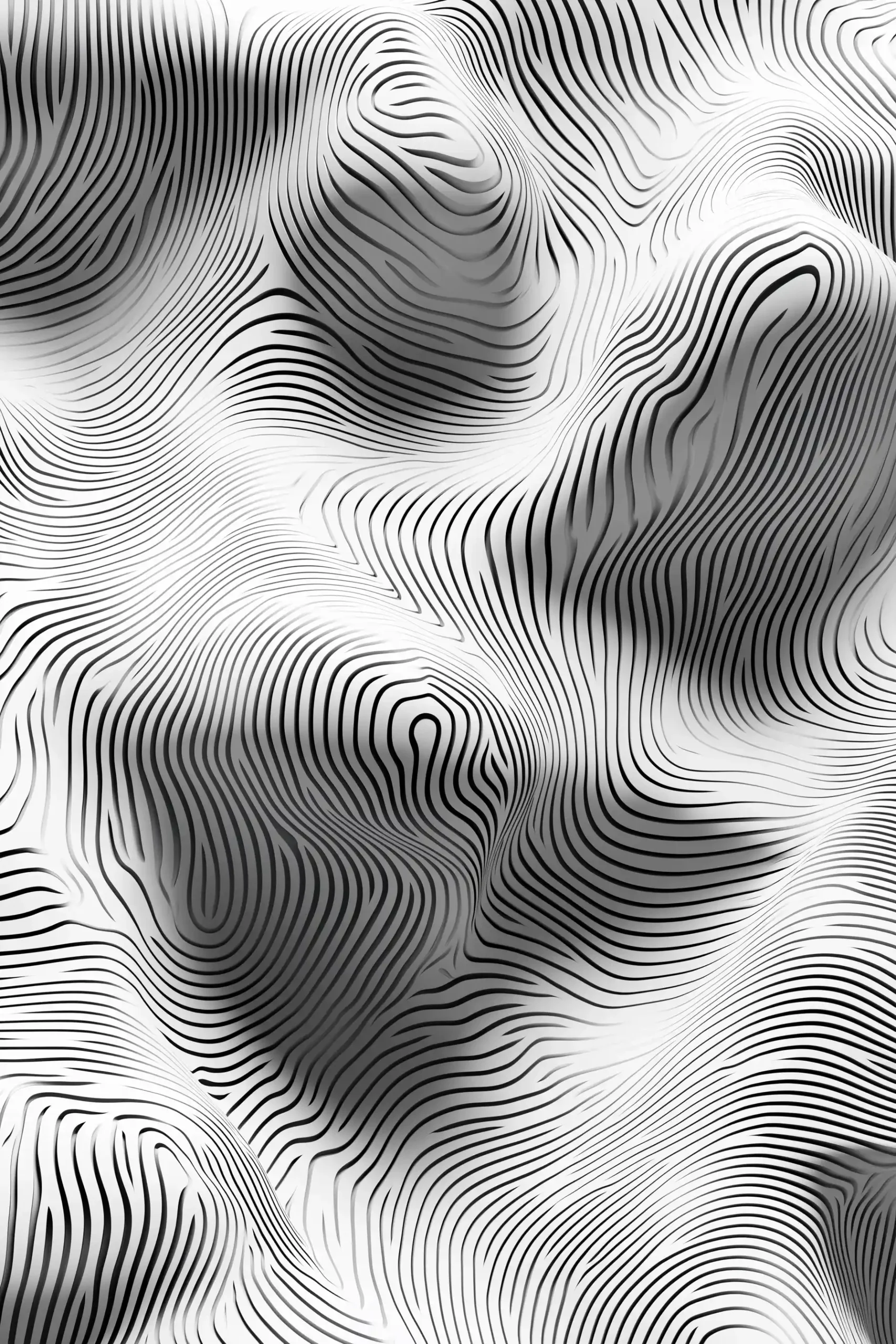
Generated image preview

معاينة الصورة المُنشأة

curl --location 'https://api.legnext.ai/api/v1/diffusion' \
--header 'x-api-key: YOUR_API_KEY' \
--header 'Content-Type: application/json' \
--data '{
    "text": "ripple texture background, minimalist, grey scale, --ar 2:3 --stylize 300 --profile y3x5siq"
}'

ملاحظة: استبدل YOUR_API_KEY بمفتاح API الفعلي الخاص بك. احصل على مفتاح API الخاص بك من لوحة التحكم الخاصة بك.

كيفية استخدام هذا الـ Prompt

نظرة عامة

تم تصميم هذا الـ Prompt لإنشاء صور ذكاء اصطناعي مذهلة باستخدام midjourney. سواء كنت مصممًا أو فنانًا أو مطورًا، يوفر هذا الـ Prompt أساسًا قويًا لإنشاء صور عالية الجودة مع معاملات مصممة بعناية للحصول على نتائج متسقة.

دليل خطوة بخطوة

  1. 1
    Copy the Prompt:Click the "Copy" button above to copy the complete prompt text to your clipboard.
  2. 2
    Open midjourney:Navigate to your midjourney interface (Discord bot or web interface).
  3. 3
    Paste and Generate:Paste the prompt into the message box and press Enter to start generating your image.
  4. 4
    Wait for Results:midjourney will process your prompt and generate multiple image variations, typically taking 1-2 minutes.
  5. 5
    Refine if Needed:Use the upscale or variation buttons to refine your favorite results.

Understanding the Parameters

Aspect Ratio (--ar):Controls the width-to-height ratio. Common ratios include 16:9 for widescreen, 1:1 for square, and 3:2 for standard photos.
Stylize (--stylize):Controls how much midjourney's default artistic style is applied. Values range from 0-1000, with higher values creating more artistic interpretations.

نصائح التخصيص

Change the Subject:Replace the main subject with your own concept while keeping the style descriptors.
Adjust Colors:Add or modify color descriptions to match your brand or creative vision.
Modify Style:Experiment with different artistic styles like "watercolor", "oil painting", or "digital art".
Fine-tune Parameters:Adjust the numerical parameters to find the perfect balance for your use case.
Add Context:Include additional details about lighting, mood, or setting to refine the output.

أفضل الممارسات

Start with the Base Prompt:Always test the original prompt first before making modifications.
Make Incremental Changes:When customizing, change one element at a time to understand its impact.
Keep a Prompt Library:Save successful variations for future use and reference.
Experiment with Seeds:Use the --seed parameter to maintain consistency across multiple generations.
Use Remix Mode:Enable remix mode in midjourney to easily iterate on successful outputs.

Using with Our API

For developers and businesses looking to integrate midjourney into their applications, our API provides a simple way to generate images programmatically. You can automate image generation, process multiple prompts in batch, and integrate AI image generation directly into your workflow. Check the API Code Example section above for implementation details.

The API handles all the complexity of managing midjourney connections, queuing, and result retrieval, allowing you to focus on building your application. With support for all midjourneyfeatures and parameters, you get the full power of midjourney through a simple REST API interface.

استكشاف الأخطاء وإصلاحها

Results don't match expectations:Try adjusting the chaos and stylize parameters, or add more specific descriptive words to your prompt.
Image quality is low:Ensure you're using the latest model version (--v 6 or higher) and consider using upscale features for final outputs.
Prompt is rejected:Check that your prompt doesn't contain prohibited content. midjourney has content guidelines that all prompts must follow.
Generation is slow:During peak hours, midjourney may experience higher load. Consider using fast or turbo mode, or try during off-peak times.

الأسئلة الشائعة

لاستخدام هذا الـ Prompt، ما عليك سوى نسخ نص الـ Prompt الكامل ولصقه في midjourney. يمكنك أيضًا استخدام API الخاص بنا لإنشاء الصور برمجيًا. يتضمن الـ Prompt جميع المعاملات اللازمة للحصول على نتائج مثالية.
بالتأكيد! لا تتردد في تخصيص أي جزء من الـ Prompt ليتناسب مع رؤيتك الإبداعية. يمكنك تغيير الموضوع أو الأسلوب أو الألوان أو أي عناصر أخرى. يمكن أيضًا تعديل المعاملات (مثل --ar و --chaos و --stylize) لتحسين نتائجك.
تشمل المعاملات الشائعة: --ar (نسبة العرض إلى الارتفاع مثل 16:9) و --chaos (مستوى الاختلاف 0-100) و --stylize (التفسير الفني 0-1000) و --v (رقم الإصدار) و --style (أسلوب العرض). تساعد هذه في التحكم في الإخراج النهائي للصورة المُنشأة.
يمكنك استخدام API الخاص بنا لإنشاء الصور تلقائيًا باستخدام هذا الـ Prompt. ما عليك سوى إرسال طلب POST إلى نقطة نهاية API الخاصة بنا مع نص الـ Prompt. راجع قسم "مثال على كود API" أعلاه للحصول على تفاصيل التنفيذ بلغات برمجة متعددة.
الـ Prompt نفسه مجاني للاستخدام. ومع ذلك، يتطلب إنشاء الصور اشتراك Midjourney أو استخدام خدمة API الخاصة بنا. يوفر API الخاص بنا طريقة ملائمة لدمج Midjourney في تطبيقاتك دون إدارة روبوتات Discord.
تعتمد حقوق استخدام الصور على خطة اشتراك Midjourney الخاصة بك. بشكل عام، يمكن للمشتركين المدفوعين استخدام الصور تجاريًا، بينما لدى مستخدمي المستوى المجاني حقوق تجارية محدودة. يرجى مراجعة شروط خدمة Midjourney للحصول على تفاصيل محددة.

هل تريد استخدام هذا الـ Prompt في تطبيقك؟

إنشاء الصور باستخدام Midjourney API - لا حاجة لحساب Discord