
Embroidered Beetle On Desk Midjourney Prompt
الـ Prompt الكامل
top view,a small beetle is on the desk,3/4 shot,The beetle has an embroidered pattern of small flowers on its back,pink,green,white background,clean background,large area blank --ar 3:4 --v 6 --stylize 750Parameter Guide
This prompt uses 3 parameters to control the generation.
Aspect Ratio
3:4Custom aspect ratio 3:4
Experiment to find what works best
Model Version
v6Midjourney version 6
Consider upgrading to V7 for best results!
Stylization
750Maximum stylization - heavy artistic expression, abstract and highly stylized
To modify these parameters, copy the prompt above and adjust the values. For example, change --ar 16:9 to --ar 1:1 for a square image.
مثال على كود API
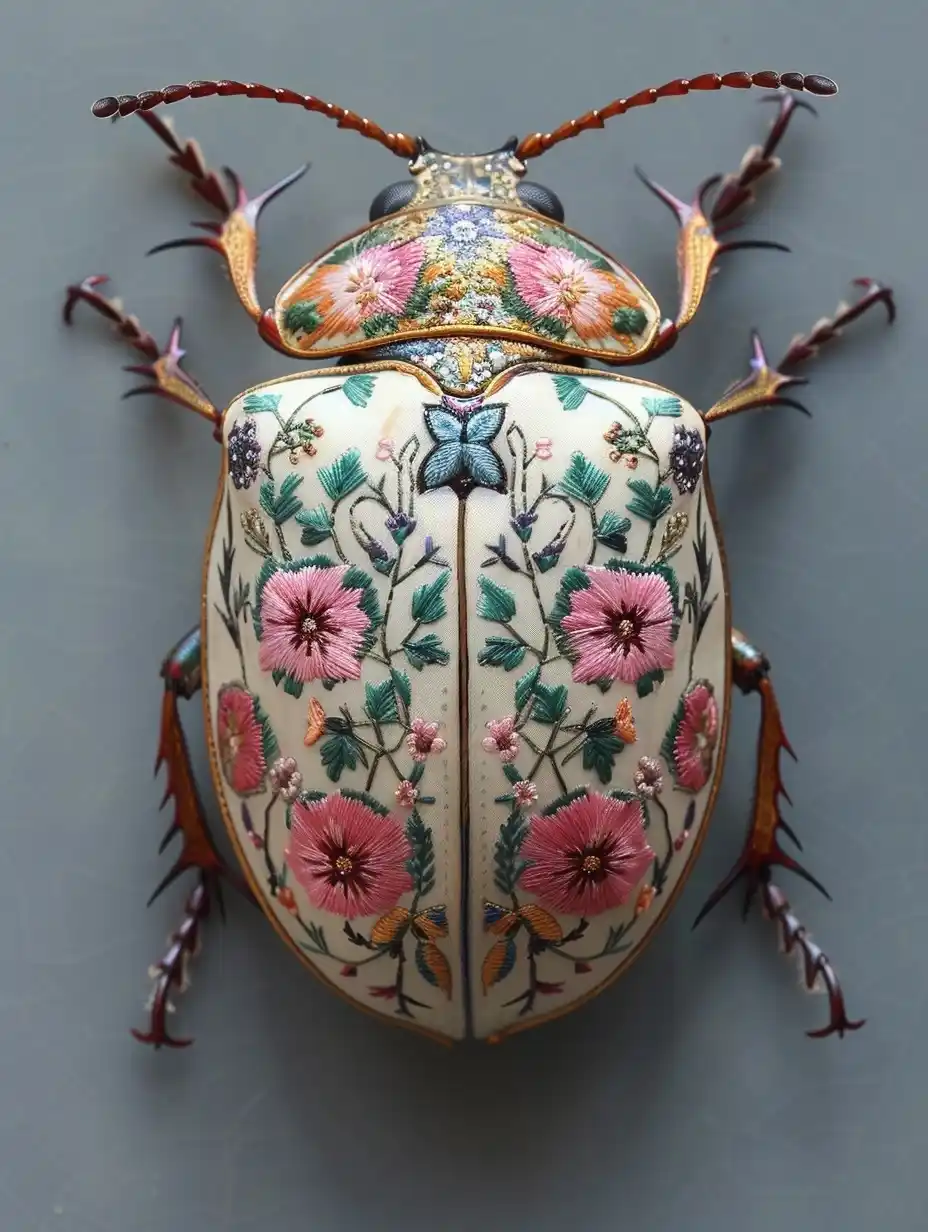
معاينة الصورة المُنشأة
curl --location 'https://api.legnext.ai/api/v1/diffusion' \
--header 'x-api-key: YOUR_API_KEY' \
--header 'Content-Type: application/json' \
--data '{
    "text": "top view,a small beetle is on the desk,3/4 shot,The beetle has an embroidered pattern of small flowers on its back,pink,green,white background,clean background,large area blank --ar 3:4 --v 6 --stylize 750"
}'
ملاحظة: استبدل YOUR_API_KEY بمفتاح API الفعلي الخاص بك. احصل على مفتاح API الخاص بك من لوحة التحكم الخاصة بك.
كيفية استخدام هذا الـ Prompt
نظرة عامة
تم تصميم هذا الـ Prompt لإنشاء صور ذكاء اصطناعي مذهلة باستخدام midjourney. سواء كنت مصممًا أو فنانًا أو مطورًا، يوفر هذا الـ Prompt أساسًا قويًا لإنشاء صور عالية الجودة مع معاملات مصممة بعناية للحصول على نتائج متسقة.
دليل خطوة بخطوة
- 1Copy the Prompt:Click the "Copy" button above to copy the complete prompt text to your clipboard.
- 2Open midjourney:Navigate to your midjourney interface (Discord bot or web interface).
- 3Paste and Generate:Paste the prompt into the message box and press Enter to start generating your image.
- 4Wait for Results:midjourney will process your prompt and generate multiple image variations, typically taking 1-2 minutes.
- 5Refine if Needed:Use the upscale or variation buttons to refine your favorite results.
Understanding the Parameters
نصائح التخصيص
أفضل الممارسات
Using with Our API
For developers and businesses looking to integrate midjourney into their applications, our API provides a simple way to generate images programmatically. You can automate image generation, process multiple prompts in batch, and integrate AI image generation directly into your workflow. Check the API Code Example section above for implementation details.
The API handles all the complexity of managing midjourney connections, queuing, and result retrieval, allowing you to focus on building your application. With support for all midjourneyfeatures and parameters, you get the full power of midjourney through a simple REST API interface.
استكشاف الأخطاء وإصلاحها
الأسئلة الشائعة
هل تريد استخدام هذا الـ Prompt في تطبيقك؟
إنشاء الصور باستخدام Midjourney API - لا حاجة لحساب Discord