

As AI image generation becomes mainstream in content creation, product design, and automation tools, more developers and creators are asking:
How can I integrate Midjourney-level image generation directly into my workflows?
If you want AI-generated images to run automatically inside Google Sheets, Notion, CMS platforms, or internal tools—without writing complex backend code—then Zapier + Legnext.ai is one of the most efficient solutions available today.
This guide shows you how to build a production-ready Zapier image automation workflow using Legnext.ai’s Midjourney API.
Why Use Zapier for AI Image Automation?
Zapier allows you to connect apps and automate actions using simple triggers and steps. When combined with Legnext.ai, it becomes a powerful Zapier AI workflow for image generation.
What Zapier + Legnext.ai Can Do
Once connected, you can:
Automatically generate images Trigger image creation whenever new data appears—no manual work required.
Use no-code or low-code automation You don’t need your own backend. Zapier handles the API calls for you.
Connect to thousands of appsGoogle Sheets, Notion, Airtable, Webhooks, Slack, CMS platforms, and more can all act as triggers or destinations.
This setup is also a practical Zapier API integration example for teams looking to use AI APIs in real workflows.
Who Should Use This Workflow?
This Zapier image automation setup is ideal for:
Indie developers building MVPs or internal tools
Content creators generating blog images, covers, or visuals at scale
Automation builders extending existing workflows with AI
SaaS & AI product managers validating AI image use cases
If your workflow depends on images, automation can save significant time and cost.
Prerequisites
Prepare Your Legnext.ai Account
Before creating your Zap, make sure you:
Register a Legnext.ai account
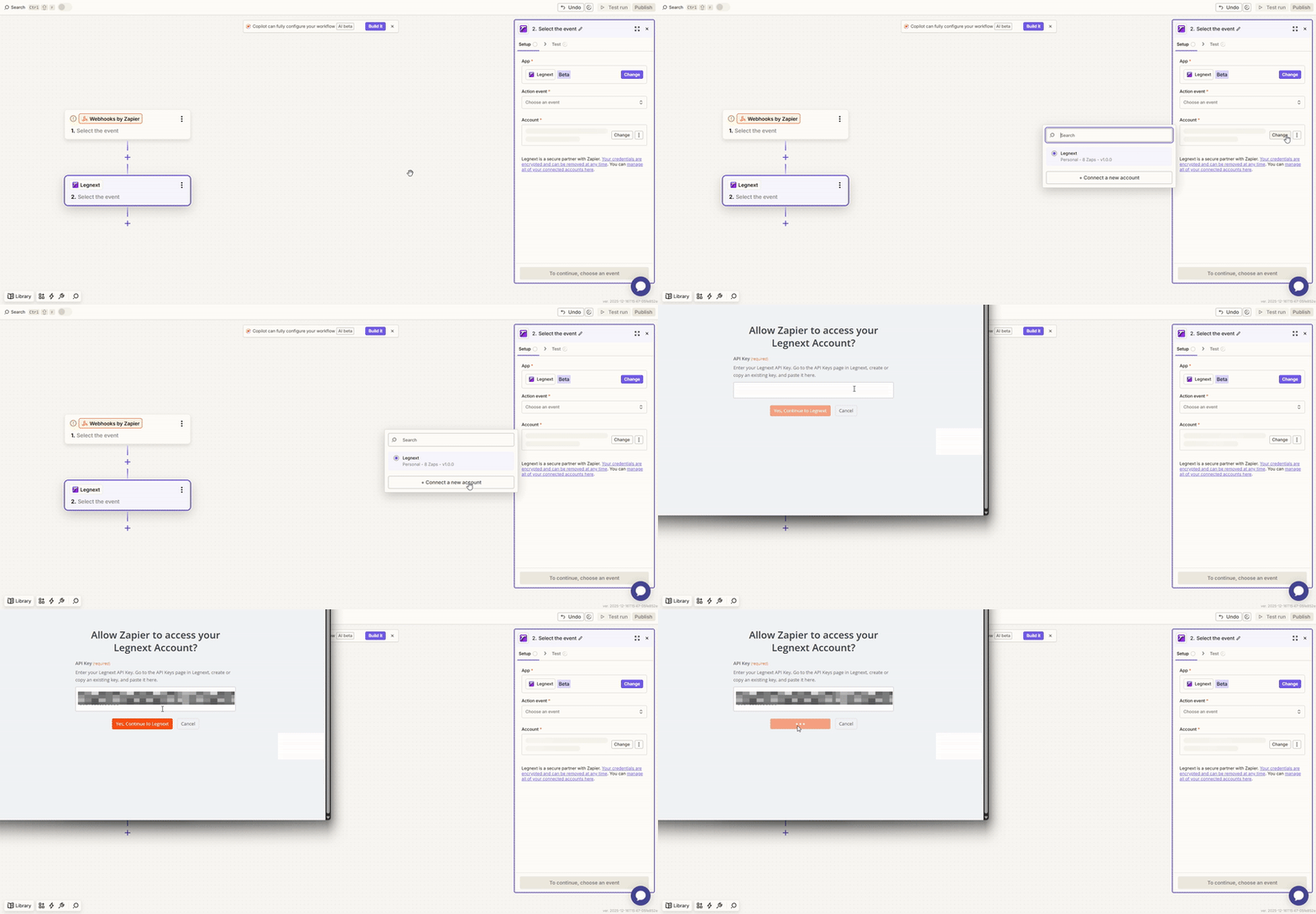
Generate your API Key from the dashboard
Review the credit usage model (each task consumes credits)
Your API key will be required when configuring Zapier actions.
Prepare Your Zapier Account
You’ll also need a Zapier account:
Free Plan
Good for testing and simple workflows
Limited task runs and steps
Paid Plan
Suitable for production workflows
Supports advanced automation logic
Make sure:
Webhooks by Zapier is available
Or your preferred triggers (Google Sheets, Notion, etc.) are already connected
How to Build an AI Image Generation Zap in Zapier
Let’s walk through a real Zapier AI workflow step by step.
Step 1: Create a Zap and Choose a Trigger
Your trigger defines when image generation starts.
Common trigger options include:
New row added in Google Sheets
New page created in Notion
Webhook receiving a prompt from your app or website
Choose the trigger that best fits your automation needs.
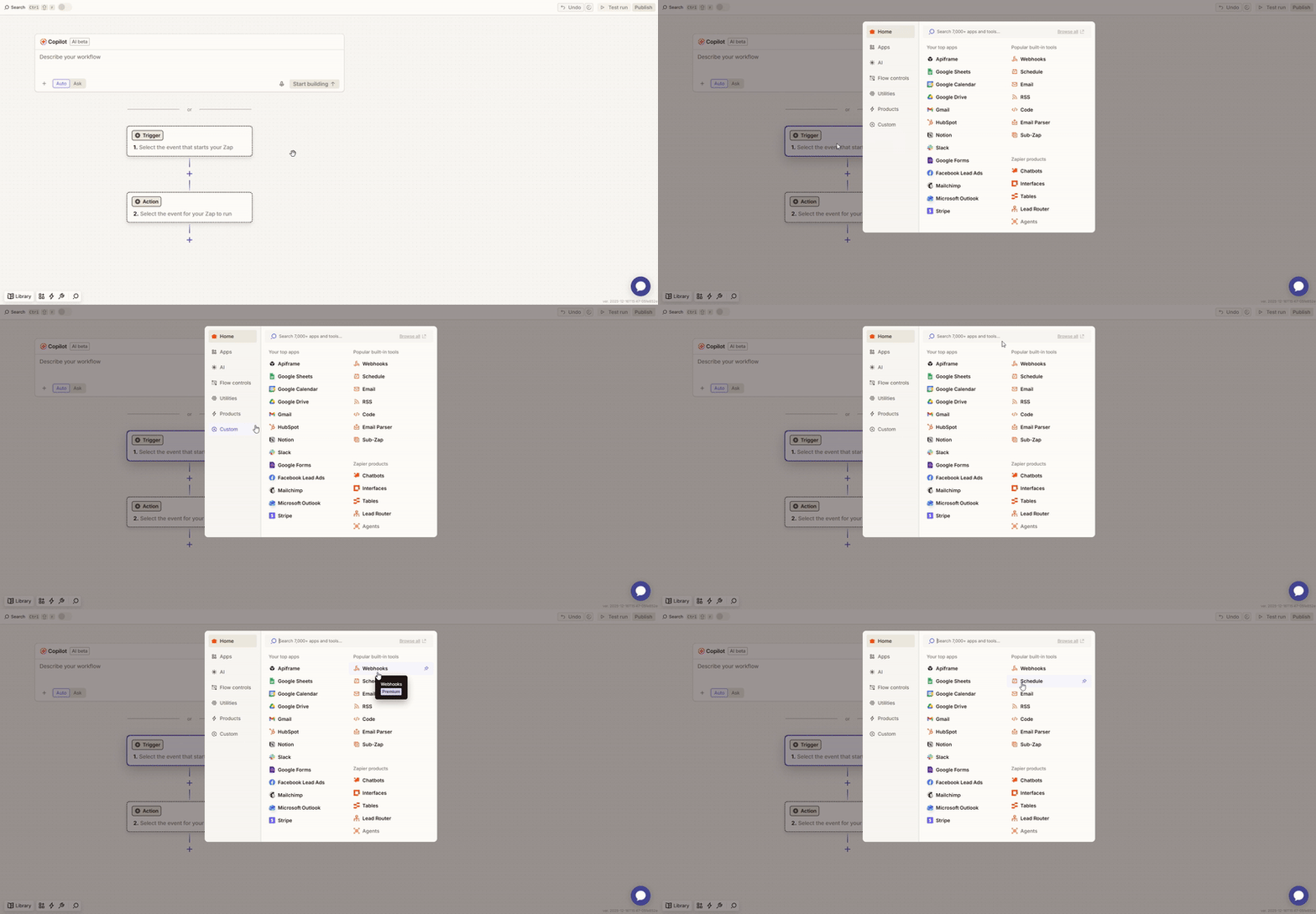
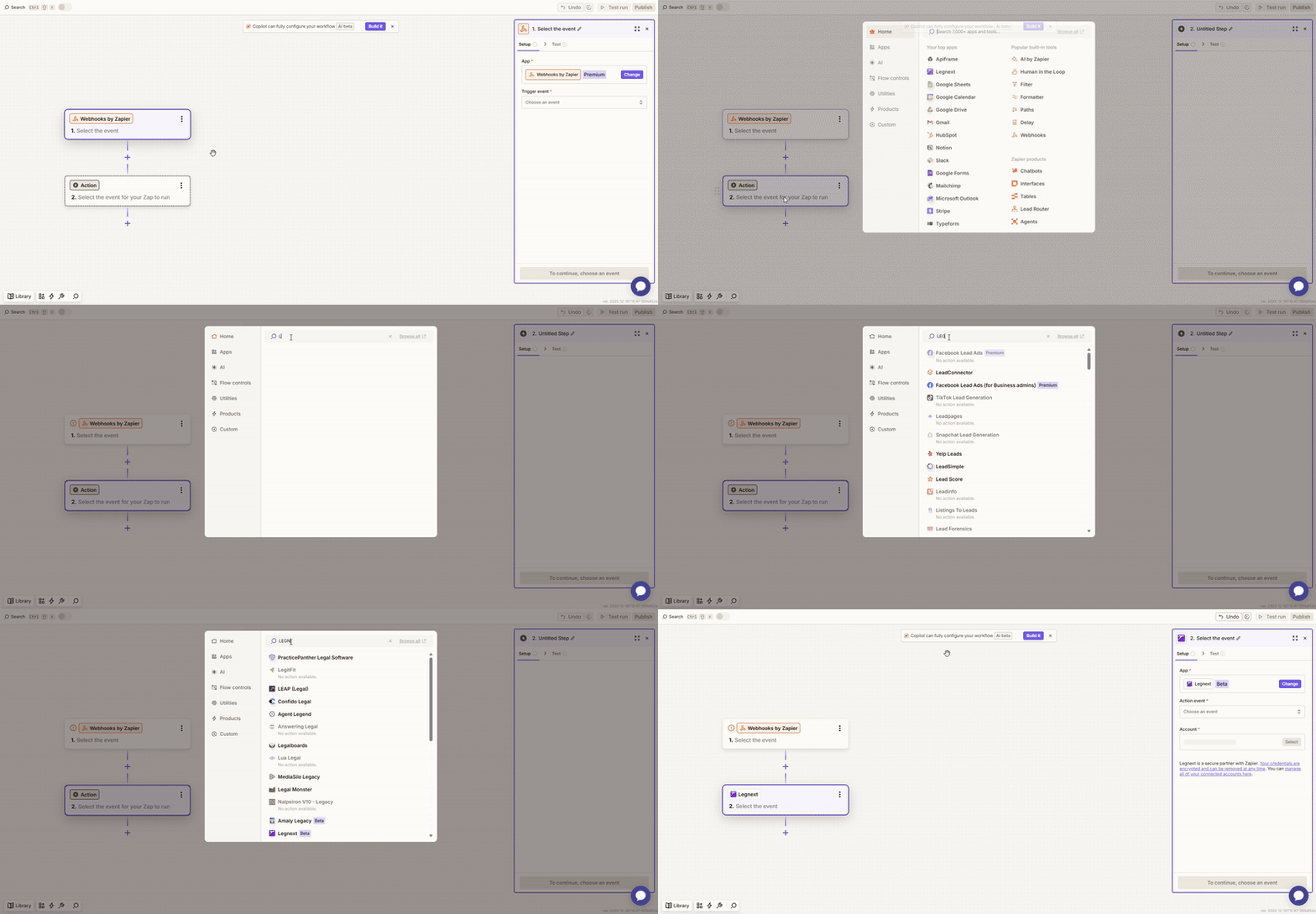
Step 2: Add an Action and Call the Legnext.ai API
Next, configure the Action step:
Select Legnext.ai as the app
2. Connect your account using the Legnext API Key
3. Choose the appropriate image generation endpoint
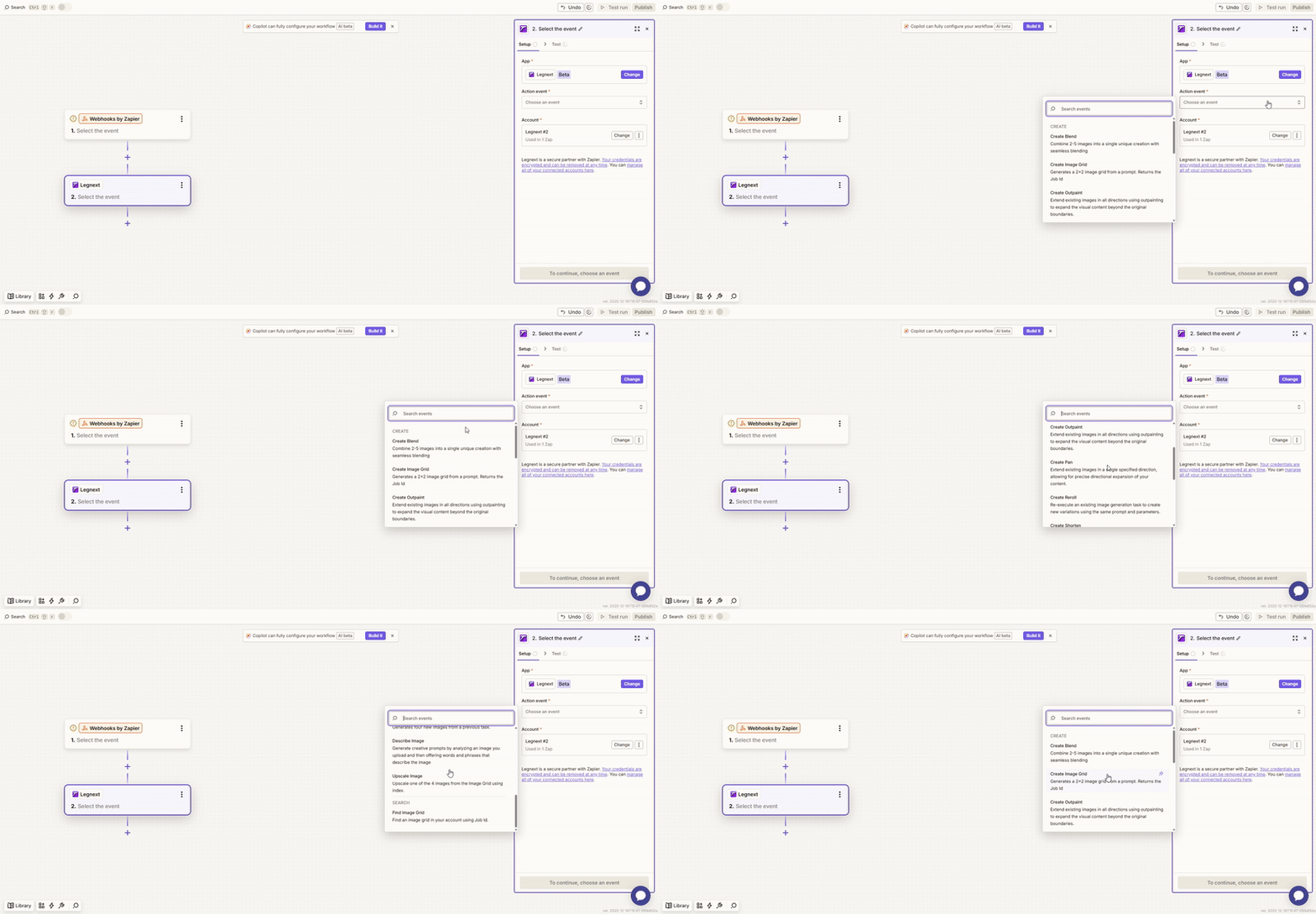
At this point, your Zap becomes a complete Zapier API integration example for AI-powered image generation.
Advanced Zapier Image Automation Techniques
Prompt Templating with Variables
Dynamically build prompts using data fields
Generate unique images for each row or record
Ideal for batch content creation
Multi-Style Image Generation
Use the same prompt
Automatically generate multiple visual styles
Compare and select the best output
Combine Multiple Zaps into One Workflow
One Zap handles image generation
Another Zap handles storage or distribution
Modular, scalable, and easy to maintain
Zapier vs Make / n8n
Zapier: Faster setup, more stable, beginner-friendly
Make / n8n: More flexible logic, better for complex automation For most teams, Zapier is the fastest way to launch AI workflows.
Best Use Cases for Zapier + Legnext.ai
This Zapier image automation workflow works especially well for:
Automated images for content websites
AI meme or poster generation
E-commerce product image automation
Social media asset pipelines
Internal design and marketing tools If your process needs images, automation is almost always worth it.
Final Thoughts
With Zapier + Legnext.ai, you can:
Use Midjourney-level image generation without writing code
Turn AI image creation into a real production workflow
Rapidly test, iterate, and scale automation ideas
If you’re looking to transform AI image generation from a “cool experiment” into real productivity, this Zapier AI workflow is an excellent place to start.